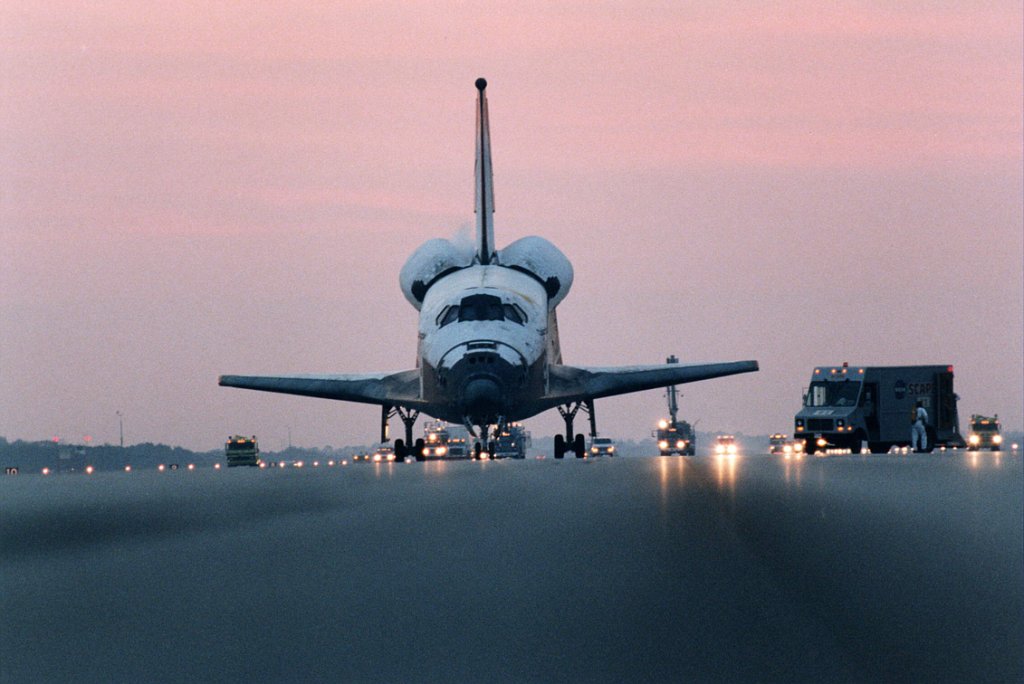
Showing posts with label shuttle. Show all posts

Monday, April 08, 2013

F-Sim Space Shuttle - Video!


F-Sim Space Shuttle (iTunes, also available for Android devices) is the only gaming app that stays on my iPad and iPhone for very long. I don't play it all the time, but every once in a while it's nice to shoot a few space shuttle approaches just for the fun of it. The latest update (v2.8) just came out, and developer Sascha Ledinsky has added a really cool feature: the ability to export videos of your flights!

He added external views and in-app replay features long ago, but with video export, you can share your accomplishments with the world - in HD! So of course I had to try it. This YouTube video features a "safe" landing (not bad except for landing left of the runway center line), with a musical soundtrack added in iMovie (2 minutes of the song "Down & Out" from my recent album "Look at You," available on iTunes, not to mention Amazon.com).

UPDATE: A small tip has helped my landings immensely - pinch-zooming to enlarge the HUD display so the FPM (flight path marker) and "guidance diamond" are easier to view and position. I finally made a "perfect" final approach landing for 900,832 points, recorded in this video. Next stop: a perfect full-HAC approach and landing, and a million point landing. Then I will retire just like the real shuttle pilots. Unless I decide to pursue shuttle aerobatics, like this amazing barrel roll on short final, followed by a good landing (flown by Sascha, the developer of F-Sim Space Shuttle). Slick!

Saturday, February 09, 2013

Cool California Trip

I was in California on business from January 26 to February 6. It was a pretty interesting trip which included a couple of weekends. I flew into Los Angeles where I rented a van for the annual international distributors' meeting (IDM) that I always help to host (and serve as a driver for the various events). Before driving to San Diego for the IDM kickoff events, I spent a few hours at the California Science Center in Los Angeles. This museum is now the home of the retired space shuttle Endeavour, which I last saw in person in 2007, when I visited Kennedy Space Center for the launch of STS-118. At that time I got to see a little bit of Endeavour on the pad during a pre-launch KSC tour (it was wrapped in the service structure so you couldn't see much). Then I got to see the launch, which of course was thrilling.

This time I got a lot closer to Endeavour, which is displayed horizontally in its temporary hangar (the plan is to construct a new display building where the shuttle will be displayed vertically in simulated launch position). Of course it is huge, airliner size, and it was really cool to see the thousands of re-entry worn tiles that protected its belly, as well as the enormous main engines, thrusters, etc. I completely understand that the shuttle program had to end - with its 40+ year old technology, it was a costly and risky way to launch cargo to orbit, but it was much more than that. It was also the only true space plane people have flown or likely will fly for a long time to come (not that capsules can't do the basic job of transporting people to orbit).  So it was bittersweet to see Endeavour on display as a museum piece. I've got some more Endeavour pictures and video clips on Flickr, along with a couple of shots of the Apollo-Soyuz command module, Gemini 11 capsule, and the A-12 Blackbird "spy plane" that is displayed near the parking garage outdoors.


After the distributor meeting (which involves a lot of people, PowerPoint slides, and food), I flew up to San Francisco for the Photonics West conference. On the weekend, I got to spend some time with my wife's daughter, including a wonderful concert in Berkeley. It was a British Invasion tribute concert with a focus on Buddy Holly and his influence on the British bands of the 60's. Four local bands did cover versions of songs by such classic bands as the Yardbirds, along with Buddy Holly tunes, and a few originals. All four bands were great, but I especially liked Girl Named T, who performed with two different band line-ups. Their playing and harmonies were first-rate, and the few originals were intriguing, so I bought T's two CD's which were on sale at the merch table. An incredible find! Really great stuff! Check out her stuff at CD Baby or Amazon. I have also posted a 92 second YouTube clip of T and company doing a lovely version of John Lennon's "Because" - great harmonies! Check this out before YouTube's listening robot figures out it's a Beatles song and makes me take it down.

Friday, April 06, 2012

iPad Rationalization

I swear, it wasn't my fault! I was simply helping to configure an iPad 2 bought for my mother-in-law. I never expected to fall in love (who am I kidding - of course I did). For the few decades that the iPad has been available (allegedly only two years), I've thought about getting one, but I managed to convince myself that it was really just an overgrown iPod Touch, which I have been using for centuries (since fall 2008). Pretty much runs all the same apps, right? Besides, I travel a lot, and the iPod Touch is so handily pocket-sized, while the iPad is nearly laptop size, right? Another thing to lug around and keep charged. Who needs it!

Well after I spent a week or so setting up that iPad 2, I could feel my anti-iPad rationalizations cracking under the strain of a nearly life-size HUD on my simulated space shuttle and the large instrument and control interfaces in GarageBand (yes, I was testing out a few apps my mother-in-law wouldn't need). I tried out a few magazines like WIRED, Newsweek, National Geographic, and Discover Magazine, and they were definitely much more enjoyable than on the pathetically tiny screen of the iPod Touch.  Mainstream apps like web browsing, email, YouTube, and the like are easier to use too. FaceTime and Skype are wonderful on a face-size screen. My willpower was crumbling...

Apple delivered the final blow with the "new iPad" ("3G") announcement - super-high-res screen, faster graphics processors, and a better camera for the same price points as the iPad 2 (though they did drop the price of some iPad 2 models). I was sold. So I gave in and ordered one (wifi only) - telling my wife that this would be a family iPad, not my iPad. I can share (sometimes). I promised I would still use the iPod Touch for travel. And so far I have not taken the iPad on a trip (so far haven't taken a trip...).

The new iPad is really great. Many apps have already issued updates to take advantage of the 2048x1536 retina display, including F-SIM Shuttle (above). Gorgeous rendering of my still less-than-perfect landings. Music creation apps are wonderful on the larger screen. Apple's free movie trailer app was upgraded and the HD previews are amazing. One surprising fave is the NPR Music app (also free). With more room for interface controls and graphics, and plenty of video, it makes it a pleasure to explore new music. I really appreciate that many of the apps I had bought for the iPod Touch are "universal" apps that also work great on the iPad. I've only bought a couple of "HD" apps specialized for the iPad.

Who knew that apple flavored kool-aid could be so tasty?

Friday, December 16, 2011

Back in the Shuttle Again

Version 2.2 of the amazing iOS app f-sim space shuttle is available at the iTunes store. There is now a beautiful animation of the drag chute's deployment and release after you touch down (visible in the external views, normally seen in replays after you land, though I suppose you could land in the external view). The replay views are great, especially when you've done a decent landing. There is also an optional "windows in the sky" landing aid that I find more distracting than helpful (but it is probably helpful when you are first learning to land with the HUD visual cues). Excellent app. There is also an official video available here.

Update: The "visual approach path" (windows in the sky) is more useful than I thought. Up to now I've mostly done final approaches rather than the full "HAC" approaches which I was never very good at. But with the visual approach aid, full HAC approaches make much more sense, and I was successful on my first two tries. Now I can see what the HUD cues were trying to tell me. This app has amazing replay value (assuming you are a space and flight sim nerd like me).

Thursday, July 21, 2011

End of the First Space Plane Era

With the final landing of Atlantis (STS-135) early this morning, our first space plane era has ended after 30 years. I'm sure that human spaceflight will continue, and we will have other, better space planes someday. But Atlantis and her sister shuttles were a pretty audacious start, designed and built as they were with the technology of the 60's and early 70's. I'm happy that I got to witness the one launch that I did (Endeavour's STS-118 back in 2007).  I would have loved to have flown in one.

I couldn't do that, but I was happy to discover last night that version 2.0 of the great iPhone app F-SIM Space Shuttle was recently released. The new version of this shuttle landing simulator adds wonderful external views and a cool replay feature that allows you to enjoy your successful landings and scrutinize your errors in great detail. The shuttle era lives on in a small way on my iPod Touch and on iPhones and iPads everywhere.

Here's a great personal video of the real STS-135 landing from someone who had a great viewing spot, and here's the official NASA video which includes a few seconds of the cockpit HUD view at the very start (F-SIM Space Shuttle duplicates the HUD view and behavior quite exactly). 

Saturday, June 11, 2011

Shuttle Nostalgia

Today I was looking at some of the great ISS-Endeavour photos taken on May 23 by the ISS Expedition 27 crew from their departing Soyuz spacecraft (there's a wonderful NASA gallery here, cool video here). What a beautiful sight! This got me thinking about the fact that there's only one shuttle flight left, coming up in less than a month if things stay on schedule. Of course this is not shocking news for space enthusiasts, but it is still sad to think there will be no more flights of this amazing spacecraft.

This nostalgia carried me to Amazon where I started to look at shuttle books and videos before realizing, hey, I've already got some great shuttle books and videos that I haven't looked at in ages. Not that this will keep me from buying more (especially this 30 year retrospective coming out in late August), but I ended up re-reading most of the astronaut anecdotes from Space Shuttle: The First 20 Years -- The Astronauts' Experiences in Their Own Words which was published in 2002 (looks like it's out of print now - available only from third-party sellers). This is a fantastic book with a great selection of photographs and reference material on all the shuttle flights through STS-102 in March 2001.

But what makes it special are the astronauts' own words about their experiences, from the mundane to the sublime. Some comments are technical, like John Young discussing the very first reentry on STS-1, "It was a pretty good test flight, and we discovered a lot of things. For example, coming into the atmosphere at Mach 25 we got a really bad sideslip that we didn't expect, where the orbiter slipped sideways four degrees and dropped in altitude. Fortunately the software canceled it out. If it hadn't, we wouldn't be here." Some are humorous stories, like the crew of STS-95 (1998) teasing Senator John Glenn (77 at the time) about being a shuttle "rookie" and staging a little gag involving a fake "Shuttle boarding pass" that Glenn didn't have. There are a number of stories about illusions and other effects coming about from zero-G (like dropping some object just after returning from orbit, subconsciously expecting it to float). Many astronauts comment about the amazing views of Earth and on how the view of the "whole Earth" changed their lives.  It's a wide range of subjects - about a third of the more than 250 people who flew on the shuttle from 1981 to 2001 responded, and they were told to talk about whatever experiences they chose.

It's hard to pick a favorite, but there's a cool one that shows how it's all relative. Joe Edwards was the pilot on STS-89, and he talks about thinking that he was born too late for Apollo and too early to make it to Mars. At a memorial service for Alan Shepherd in 1998, he was talking with some other "younger generation" shuttle astronauts about this "born too late" idea when veteran Apollo astronaut Jim Lovell walked over. Jim wanted to say hello and to tell them about his discussion with "Neil, Buzz, and Gene" in which they decided they were born too early. Huh? Lovell said, "Well, you guys get the opportunity to go up to the space station. You get to fly the only reusable spacecraft that's ever been built, and you get to do all of these difficult and challenging things. We were just born too early. All we ever got to do was Apollo."

Well, Jim, that was still something. Apollo is history and in another month or so, the shuttle program will be history too. But I'm sure there will still be some difficult and challenging things for the next few generations of astronauts to do.

Friday, January 14, 2011

New Shuttle Fleet for Orbiter

In my not-so-copious spare time, I am working on the 2010 update to Go Play In Space, the tutorial and exploration guide e-book that I wrote for the free Orbiter space flight simulator (with help from Andy McSorley on the second edition in 2006, and now from Mark Paton on the 2010 edition). Orbiter has a 2010 edition described here, with enough new and changed features to justify a new edition of Go Play.

The new edition will add a chapter on re-entry (written by Mark), and the rendezvous and docking chapter will use the supplied shuttle Atlantis spacecraft rather than the more powerful (but fictional) Deltaglider spacecraft used in the second edition. It's more realistic in that it's based on a launch (using a launch autopilot written in Orbiter's new scripting language), rendezvous, and docking scenario that happens in real life, although sadly not for much longer. I'm glad to finally be adding some shuttle operations to Go Play In Space.

Speaking of flying the shuttle in Orbiter, there's a brand-new edition out of the amazing Shuttle Fleet add-on for Orbiter 2010-P1 (Shuttle Fleet 4.7 by David413). I've only just downloaded and installed it, but it looks great. It includes support for local light sources which should improve the already impressive visuals. I will be discussing the Shuttle Fleet in the add-on chapter of the new Go Play In Space. The picture above is a nostalgic Shuttle Fleet screen shot of STS-1, the very first flight of the first operational shuttle, Columbia, April 12, 1981. Notice the white-painted external tank that was used on the early shuttle missions (they stopped painting the tanks on later flights to save weight, leaving the now familiar rusty orange color of the insulating foam).

Friday, December 31, 2010

The Awesome Space Shuttle


It's hard to believe that there are now only two or three space shuttle flights left and that these amazing machines will be retired by the middle of 2011. Despite the tragic losses of Challenger and Columbia, this ahead-of-its-time space plane has had an incredible career with 132 space flights since 1981. I've spent a lot of time with shuttle simulations the last few weeks - in the F-SIM Space Shuttle landing app on the iPod Touch, as well as in Orbiter, working to update my free Go Play In Space e-book to a third edition (probably will be ready by early March 2011). One change will be to the rendezvous/docking chapter which will use the included Atlantis shuttle model instead of the futuristic Deltaglider that is used in the rest of the examples.It will follow a tutorial flight recording done by Martin Schweiger, Orbiter's author. It also shows off Orbiter 2010's new Lua scripting capability with the shuttle launch to orbit controlled by a Lua script autopilot.

I found the video shown here through the free NASA App on the iPod Touch - it's a great way to keep track of missions and to find pictures and videos on NASA's various sites. This narrated video consists mainly of video clips from various high-speed cameras that NASA uses for engineering diagnostics on shuttle launches. Because of the high recorded frame rate, they play back in slow motion, so you can see many of the intricate events that take place in seconds on every shuttle launch. They are always impressive and sometimes beautiful.

Sunday, December 12, 2010

More iPod Shuttle (Landing Tips)


I'm still obsessed with F-SIM Space Shuttle on the iPod Touch. Now that I'm a seasoned pro with some 10 hours (!) of flight time and at least one "good" landing (with 26 "safe" landings, 54 "hard" landings, and an embarrassing number of crash landings), here are a few things I've learned along the way. While it may seem odd that someone with such a poor record and slow learning curve has the audacity to offer landing tips to others, here's the thing: I've made these mistakes enough times to notice what they are, and if you can avoid some of them as a result, you'll be ahead of the game. This only applies to "final approach" landings. I've done a few full HAC approaches, but I still really suck at those, so too soon to give tips.
  1. Read the "help" landing tutorial and watch a few Autoland demos, paying careful attention to the flight path marker (FPM) and approach cues in the HUD (the tutorial explains these with pictures). After you've landed a few times, also read the landing notes in part 2 of the help - good tips, but you'll need some experience to recognize them.
  2. If you don't let the FPM get far from where it should be (and you shouldn't), the range of tilt and rotation motions you need is very small. The iPod Touch is so light, it's very easy to make motions you don't want that can really throw off your approach. I find I have to brace my elbows against my body and cradle the iPod carefully to keep it steady and in balance. And have my eyes very close to the screen.
  3. Make very small adjustments, and don't ever let the FPM get far from the guidance diamond or the flare cues (small triangles).
  4. Get lined up with the runway center line right away, and keep it lined up. I always try to do this but still sometimes end up off-center when I'm below 500 feet (maybe cross wind?). Sometimes I can correct this, but it's bad to have to try and I often fail. You don't see the real shuttle banking around on short final - you should be wings-level once you are below 1000 feet.
  5. The FPM shows where the shuttle is heading. If you let it get above the horizon when you flare, you will gain altitude and will probably have trouble with line-up (a slow shuttle doesn't have great control authority) or a soft enough landing.
  6. You seem to get more "good landing" credit for landing in the 200' touchdown zone than for being on-centerline. My one "good landing" was in the zone but somewhat off-center for 187,000 points. My best "safe" landing was 370,000 points and was well centered, but outside the landing zone.
  7. If you use "tilt" for brakes (rather than manual brakes which is an option), once the nose wheel touches down, tilting forward provides more braking. But don't do it right away lest you slam the nose wheel down too hard.
The picture above is an animated GIF (might have to click on it) of an Autoland demo at KSC at night, passing through clouds (not real time - just captured frames at 0.8 sec intervals). I love that effect, when the KSC ground lights pop out as you pass through the cloud deck (very quickly and steeply, 20 degree approach, remember) . This is a great little sim. Reminds of the old days (~2000) when I used to land a simulated F/A-18 Super Hornet on a carrier at night in Jane's F/A-18 flight sim. I wasn't very good at that either, but it was also fun. I'm glad I was better at landing real Cessna 152's (when I was flying a few years ago) than I've been at landing simulated Hornets and space shuttles. Guess it helps to have your life on the line! And to be approaching at 67 knots rather than 150 to 300 knots.

Wednesday, December 08, 2010

F-SIM Shuttle Obsession

I've now got about 6 hours of "flight time" in F-SIM Space Shuttle on the iPod Touch - which is a lot of flights at about 2 minutes each (about 165 flights). I'm still mainly doing final approaches, trying to become consistent enough to get mostly "safe" (and eventually "good" and "perfect") landings and fewer "hard" landings (but still a fair amount of "crash" landings when I lose focus). So far my top score is 193,000 - nowhere near the one million that's apparently possible on a really perfect landing. I wish I had a faster learning curve, but it's still fun. OK, an obsession, but fun. It really requires close concentration and a delicate, balanced touch when tilting the very low-mass iPod Touch to control your flight.It also helps to read the instructions and to watch the Autoland demo multiple times. Every time I do I notice some other little point that helps me improve. I'm still a little weak on the final flare - timing and amount, and also drifting right or left on that pull. It's very touchy.

One thing I did was to look up some HUD video of real shuttle landings on YouTube (here's a good example, and this one starts at about 80K feet at about Mach 2, before the entry to the HAC, and has a lot of pilot conversation). This really confirms the excellent realism of the HUD and the overall "sight picture" and speed sensation in the sim.

The picture above is a real HUD shot from an approach to runway 33 at KSC, 8000 feet, about 300 knots. Below is a similar situation in F-SIM Shuttle (same runway, 6500 feet, 300 knots, picture cropped to approximate field of view of the above picture):

Unfortunately the runway overlay is still on in this shot, but turned off in the real screen shot (I only seem to be able to make screen shots in the Autoland demo, not on my live flights and it's hard to get exactly the same conditions). The HUD frame (needed for orientation on a tilting screen) and symbology brightness are also different, but you can still see the realism.

Friday, December 03, 2010

iPod Shuttle

The title is correct, iPod shuttle, not shuffle. I just bought what is perhaps the coolest iPhone/iPod Touch app yet, F-SIM Space Shuttle, an excellent Space Shuttle landing simulator. You fly it by tilting and rotating the whole device - the accelerometers are sensitive enough to control it with great precision. The question is, is the player sensitive enough to control it with the needed precision? So far the answer for me is "not quite," but after a couple of dozen final approach flights, I'm starting to make hard landings instead of crash landings. Still a ways to go for safe or perfect landings, but there is hope for my not-as-young-as-they-used-to-be reflexes and learning curve. Then I can take on flying the full approach in the HAC (heading alignment cone) from 20 to 50 thousand feet above Kennedy or Edwards. This little sim features what seems to be a pretty nice flight model and it offers day and night landings, clouds, and wind to keep things interesting. Since a shuttle final approach lasts something like 2 minutes, you can crash (I mean land) a lot of times in a half hour session of goofing off (a full approach is about 5 minutes).

The sim currently lacks external views and a replay function, but the developer is working on these. Not bad for $1.99 - that's right, a flight sim for two bucks! Of course it's a very limited domain (only the last few minutes of atmospheric flight, unlike Orbiter which simulates many phases of shuttle operations, from launch to docking to re-entry and landing). But Orbiter doesn't fit in my pocket like the iPod Touch (and Orbiter doesn't score your landing quality the way this sim does - part of the game-like quality that makes it quite addictive if you are into flying stuff). It has great audio (recorded from actual shuttle flights), though the script does get a little repetitive. There is a virtual cockpit mode, but I prefer the fixed front view - there's enough moving around without moving your eye position too.


As with real flight and real landings (which I sadly have not performed very recently), one key seems to be making very small adjustments and corrections sooner rather than big ones later. Unlike most landing situations, there's no engine and no opportunity for a go-around or even a flight path adjustment with power.But the HUD gives you a lot of visual cues, and if you have a light touch on the accelerometers, you can keep everything happy and get the shuttle on the runway in one piece most of the time.

UPDATE: I just saw screen shots of the iPad version of this app. Really amazing visuals. Could this be the reason to get an iPad? Probably not. At least not until the second generation iPad comes out. The main advantage of the iPod Touch is that it is pocket size so my Kindle books, New York Times, music, video, WiFi apps, and now space shuttle sim are always available.

Thursday, June 17, 2010

Shuttle Launch Prep in 3' 52"

This is so cool. It's a time-lapse video that shows the full six-week preparation sequence of the shuttle Discovery for STS-131 condensed into three minutes, 52 seconds. It's from Air & Space Magazine (one of my favorite magazines). Thanks to astropixie for the tip.

I'm going to miss the space shuttle.

Update: I removed the embedded video - it's too annoying that it plays automatically (with the commercial) every time the page loads. Watch here.

Friday, May 14, 2010

Great Shuttle Launch

Thanks to NASA TV, I watched Atlantis launch on its final mission this afternoon at 2:20 pm EDT (STS-132). Great launch. It's hard to believe there are only two more planned shuttle launches this year - and forever. It's a bit sad to see the end of an era like this.

Monday, April 05, 2010

STS-131 Launch

Unfortunately I missed the launch of STS-131 early this morning, but I really love the view in this NASA photo. It's hard to believe there are only a few more launches left in the shuttle program.

Friday, September 11, 2009

Discovery Lands in California

I didn't have much time to follow Discovery's STS-128 mission to the International Space Station this past two weeks, but I did get a chance to watch the final 15 minutes of the approach and landing to Edwards AFB in California just now on NASA TV. Except for the fact that the landing was delayed by a day and diverted to California due to bad weather in Florida, it was a very successful mission and a smooth as silk landing.

Sunday, August 30, 2009

Planetology

The shuttle Discovery (STS-128) docked with the International Space Station today, on the 25th anniversary of its first launch (STS-41-D, August 30, 1984) - that's amazing in itself! I haven't been following this mission very much this weekend, but I have been reading a very good 2008 book by former astronaut Tom Jones and planetary geologist Ellen Stofan, Planetology (subtitle: unlocking the secrets of the solar system).

Jones is a planetary scientist who flew as a mission specialist on four shuttle missions from 1994 to 2001 (his memoir Sky Walking is excellent). His first two flights in 1994 were Space Radar Laboratory missions, which used special imaging radar to map the surface of the Earth. Some of his "ground truth" training for that mission featured geology field work that also included his co-author, Ellen Stofan.

I'm trying to save money and shelf space by using my local library more, and I happened to find this book there last week. The cool thing about it is that it is not your typical solar system tour coffee-table book, with a profile of each planet from Mercury outward. Instead it takes a functional and comparative approach, looking at water, volcanoes, tectonics, wind, etc. on Earth and on the other planets and moons. This takes advantage of our extensive knowledge of the Earth which can be compared with imagery and other data from our various probes. It's very up to date, well written, and profusely illustrated. The authors have done a good job writing for a general audience, but their approach reflects the way the science is actually done more than many books "about the solar system."

The only problem will be convincing myself to just read the library copy and not buy a copy for myself!

Sunday, June 14, 2009

A Big Look Back at STS-125

The launch of STS-127 was delayed (possibly to July) due to a hydrogen leak problem, but as I was looking through my various space blog feeds this morning, I noticed a May 18 item I had missed before, a Boston Globe "Big Picture" feature on last month's final Hubble servicing mission (STS-125). It's a great selection of (big) pictures. The one here shows Andrew Feustel on the first EVA of the mission.

Monday, May 25, 2009

Jeff Hoffman on Hubble

I just read a cool interview with Jeff Hoffman that Nancy Atkinson did a few days back on Universe Today. Dr. Hoffman was one of the mission specialists on the first Hubble Servicing Mission in 1993 (STS-61). He actually installed the WFPC2 camera that just came back to Earth with the STS-125 crew.

Dr. Hoffman is also one of those "people I should have known at the time" - a slightly embarrassing story. Back in September 2006, I attended a NASA-sponsored education conference (NESSIE, New England Space Science Initiative in Education). This was held at the Boston Museum of Science and was attended by a number of space science and education professionals (and a few informal educators like me). At one point, we broke up into small groups to discuss some assigned topic to be reported later to the main group. I forget the exact topic of our group's discussion, but I think it involved how to use space topics to engage students. I do recall that there was a soft-spoken MIT professor in our group by the name of Jeff Hoffman. It was only later when I reviewed the list of attendees that I realized he was that Jeff Hoffman, five-time space shuttle flyer and Hubble repairman. He modestly neglected to mention this small bit of personal space history to our group.

Sunday, May 24, 2009

Atlantis Lands at Edwards

Bad weather in Florida required Atlantis to land at Edwards AFB, California, and they made a beautiful landing there this morning at 8:39 a.m. PDT.

I love this other picture that I found on the STS-125 gallery site, showing shuttle pilot Gregory Johnson practicing for the landing with a simulator on the flight deck of Atlantis. Here's what it says there:
S125-E-013050 (21 May 2009) --- Occupying the commander's station, astronaut Gregory C. Johnson, STS-125 pilot, uses the Portable In-Flight Landing Operations Trainer (PILOT) on the flight deck of the Earth-orbiting Space Shuttle Atlantis. PILOT consists of a laptop computer and a joystick system, which helps to maintain a high level of proficiency for the end-of-mission approach and landing tasks required to bring the shuttle safely back to Earth.
Just like Orbiter on my laptop (almost)! Except Orbiter has better graphics.

Wednesday, May 20, 2009

Live Long and Prosper, Hubble!


I was again busy with other things (I recorded a brand new song, more later), but yesterday the STS-125 crew released the freshly serviced Hubble Space Telescope from the shuttle's robotic arm. This cool crew video shows the final steps of the release process as well as the first couple of minutes of the Hubble back in free flight, out to a range of about 200 feet. Beautiful!

Be sure to watch it in HQ if you can - some great still photos here. Thanks to astropixie for the tip!